
Modified on: 22 Jun, 2026
How to reset your password
- Go to the Jooble login page and enter the email address you used to sign up. Click Continue.
- Click Forgot password below the password field.
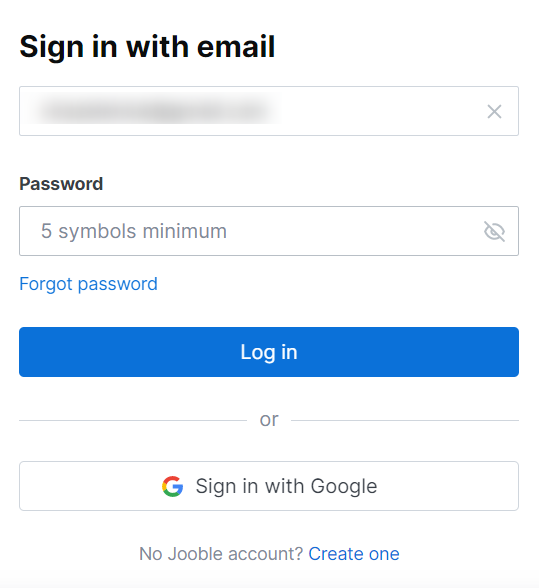
- Click Restore my password.
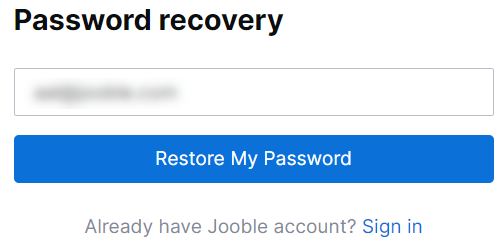
You'll receive an email with a password reset link. Open the email, click the link, and follow the on-screen instructions to create a new password.
Didn't receive the reset email or the link doesn't work?
If the email hasn't arrived within 5 minutes, try the following:
- Check your Spam or Junk folder, as well as all other folders in your mailbox.
- Open the email in a different browser or in incognito/private mode.
- Disable browser extensions temporarily, as some may block links in emails.
- Review your email privacy settings to ensure there are no restrictions on opening links.
- Clear your browser's cache and cookies, then try opening the link again.
If none of the above steps work, please contact us and we'll be happy to help.